
 EN
EN
 Puerto Rico
 US Virgin Island



- ORIENTAL CASH MANAGEMENT



|
OFFERING
|

|
|
|
|---|---|---|---|
|
Companies and Users
|
|
|
|
|
Accounts |

|
|
|
|
Transaction History
|

|
|
|
|
Online and mobile banking, with remote check deposit1
|
|
|
|
|
Reporting
|

|
|
|
|
Balance "Intraday"
|
|
|
|
|
Check Images (deposited and cleared checks)
|
|
|
|
|
Premium Alerts
|
|
|
|
|
Stop Payment Module8
|
|
|
|
|
Loan Payments and Advances2
|
|
|
|
|
Express Transfers (between your internal accounts)
|
|
|
|
|
Loan Report 10
|
|
|
|
|
Credit Card Report Module 10
|
|
|
|
|
|
|
|
|
|
Fraud Prevention
|
|
|
|
|
ACH Template Module
|
|
|
|
|
ACH Transactions
|
|
|
|
|
Wire Transfer Module
|
|
|
Ideal for fast-growing small businesses that want simple, efficient banking from day one.

Perfect for businesses expanding operations and managing more complex payments.
Monthly price starting at $20.00
For more information, contact us 24/7 at 787-620-PYME (7963)
Built for businesses with multi-channel payment needs.
Monthly price starting at $45.00
For more information, contact us 24/7** at 787-620-PYME (7963)

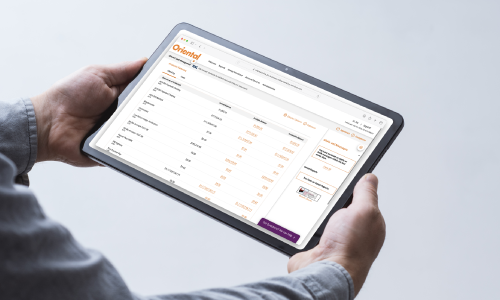
Learn how to access and use this solution to manage your money easily.
-

 Access the app
-
 Manage your accounts
-
Make payments
-
Transfers
-
Alerts, notifications and more
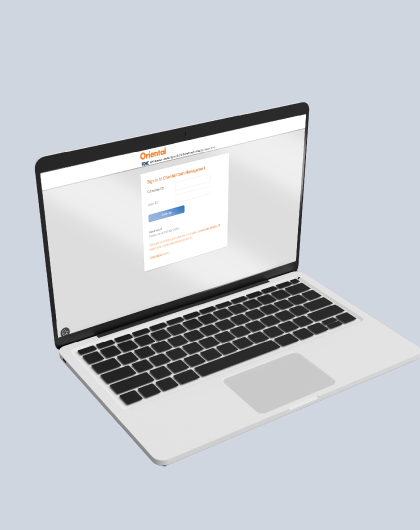
2. How do I access Oriental Cash Management?
Step 1: Go to our website at orientalbank.com.
Step 2: Under “Access your accounts,” select Oriental Cash Management to reach the login screen.
Step 3: To access for the first time, you'll receive two separate emails with your Company ID, User ID, and temporary password.
Step 4: The system will display the “One Time Security Code” screen; select “Continue with Security Code.”
Step 5: Choose one of the phone numbers you set up to receive the automated verification call.
Step 6: Based on your selection of text or call, you'll receive a code that you must say or enter during the automated call. When finished, select “Phone Call Completed.”
Step 7: Enter the temporary password you received by email and create a new password.
Step 8: You're now ready to start using Oriental Cash Management.
When you see the message “locked password,” press the Continue button.
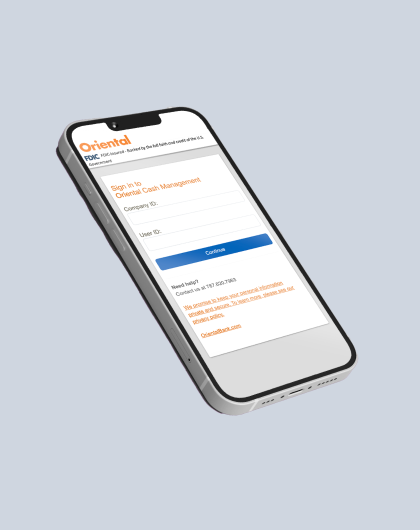
Step 1: Under One Time Security Code, select “Continue with security code.”
Step 2: Choose the phone number associated with your account.
Step 3: You'll receive a text message with the security code to enter.
Step 4: Enter and confirm your new password.
Step 5: Log back into Oriental Cash Management using your new password.
Option #1: Under Reports
- Deposit report: Download transaction history (debits, credits).
- Returned checks: Generate a returned checks report with up to 18 months of history.
Option #2: Under Administration (Company administration)
- User setup report: Reporte de servicios activados por usuario.
- Invalid Login Report: Reporte del estatus de cada usuario.
Option #3: Under Administration (Self administration)
- User activity report: Report of user activity within the system.
- Monitor balance information and transactions for all your accounts, loans and credit lines.
- Internal transfers.
- Order stop payments.
- Maximum security with access token O Pass, access token that minimizes the risk of fraud and identity theft.
- Account and deposit reconciliation
- BAI2 transmissions
- EDI special reporting
- We give greater flexibility to the processing of payments and collections with ACH Same Day.
- Easy payroll.
- Make payments and receive collections through Automated Clearing House (ACH)
- Local and international electronic money transfers 24/7.
- Use Oriental Pay Bill to pay bills at your convenience
- Managing your accounts from one central point is as easy as choosing one of our reconciliation solutions that best suits your needs.
- We use the most advanced technology and experts in bank reconciliation that will provide a quality service.
- Provides companies that have multiple locations the ability to deposit into one account, yet track each deposit made to the account by location.
- You can identify the origin criteria in the deposit slips (e.g. store number, vendor number, zone number).
- Deposit activity generated by the coded sheets is shown through the Oriental Cash Management service, facilitating data reconciliation deposits depending on the unit that performs.
- A fast and powerful tool to check your statements and corresponding checks.
- Check your statements from your computer with check images, making it easy to search, sort, and get reports of processed checks.
- You will receive a monthly CD-Rom with your bank statement and scanned check images (front and back). You can insert check images on any document you edit with a Microsoft Windows® word processor.
- Technical support representatives will help you with the facilities, training and support tools.
1. Can I make electronic transfers?
Yes, it's possible to make unlimited transfers between the accounts included in your access through cash management. In addition, you can make payments to third parties (employees, vendors, professional services, among others) via electronic transfer using the ACH service.*
*Additional costs may apply*
2. How can I view images of paid checks?
To view images of paid checks from your cash management, follow these steps:
- Access your transaction report.
- Locate the date the check was processed and, in the description section where it says “Check paid,” select the “Image” option.
- A check icon will appear. Click the icon to view the check image.
- If you want to view the back of the check, select the “View both” option represented by two gray bars at the top.
3. How can I place a stop payment on checks?
Access the menu and select “Account services”.
- Choose the Stop payment option.
- Select the account where the check was issued.
- Enter the check expiration date (optional).
- Indicate the reason for the stop payment order.
- Provide the following check information:
- Check number
- Check date
- Payee
- Amount
- Click “Continue” to process the request.
- If you want to stop a full sequence of checks.
- Select the Range of checks option at the bottom of the screen.
- Select the corresponding account.
- Indicate the reason for the order.
- Specify the first and last check numbers in the series.
To find your complete account number, go to "Administration" in the Oriental Cash Management menu. Select "Company administration" and then "Account information".
Premium Alerts
The portal offers a configurable alert system for various options, such as processed debits, returned deposits, negative balances, ACH service activity, among others. You can also generate customized alerts.
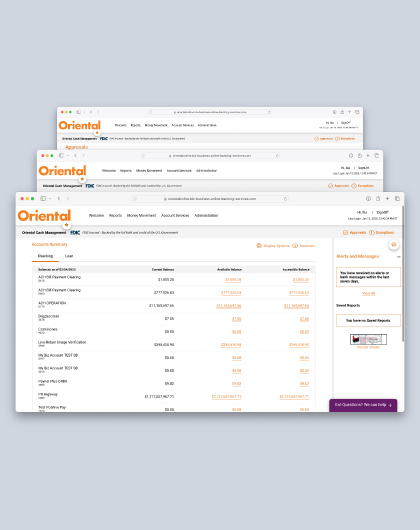
ACH Positive Pay
Anti-fraud service designed to protect your company’s accounts from unauthorized electronic transactions. It allows you to set rules for ACH activity, such as approved vendors, transaction limits, and transaction types. If a transaction does not meet these criteria, it's flagged for review so your company can approve or reject it before processing.
Positive Pay
Fraud prevention service that verifies checks and ACH transactions before bank processing. It automates control by matching issued payments against presented items, helping detect and prevent fraud or unauthorized payments to protect business funds.
Reverse Positive Pay
Fraud prevention service that provides a daily report of checks presented for payment. This allows you to review and approve or reject checks before they are cleared. This proactive approach enables active monitoring and management of disbursements, helping prevent fraudulent or unauthorized checks from being paid.
To activate alerts, go to the Cash Management home page and select “Alerts and messages”. Click the three dots, choose “Manage alerts”, select the account and the desired alerts. To customize them, click “Custom” at the top.



How to access Oriental Cash Management
How to reset your password to access Oriental Cash Management
How to use the ACH Positive Pay tool?
How to use the Wire Transfer Module?
How to use the Positive Pay tool?
How to use the Reverse Positive Pay tool?
How to reset your password to access Oriental Cash Management?
When will the service change take effect?


Which package will I be migrated to?
To receive e- Statement you must register in OCM. If you are already registered to receive e-Statements, no further action is required. If you are not yet enrolled, please follow these steps:
- Log in to Oriental Cash Management.
- Navigate to "REPORTS" > Statements and Documents.
- Select “View and Maintenance Documents Preference.”
- In the row corresponding to your account, change the option from “Paper” to “Online.”
- Review and accept the terms and conditions.
Do I need to enroll to use Positive Pay, Reverse Positive Pay, and ACH Positive Pay Services?
When will the new fee take effect?
You will see the new cost reflected in your statement the same month that the migration is completed.
Mandatory Disclosures
Certain terms, conditions, and restrictions apply. Additional fees may apply. Products offered by Oriental Bank, Member FDIC.
(1) Remote check deposit: Subject to eligibility requirements. Deposit limits: 40 checks per day, 120 checks per month, $30,000 per check, $90,000 per day, and $150,000 per month. All checks must be payable to the account holder and properly endorsed. Subject to Oriental Bank’s funds availability policy.
(2) Online loan payments and advances for lines of credit are available only to individuals with overdraft protection lines of credit. Additional restrictions may apply.
(3) The reverse positive pay service requires a user to log in daily to the reverse positive pay module within Oriental cash management to approve any check before the cutoff time; otherwise, it will be returned.
(4) Positive pay requires a user to log in daily to the positive pay module within Oriental cash management to approve any check exception before the cutoff time; otherwise, it will be returned.
(5) The first 25 ACH transactions per month are included at no cost. The advanced ACH report is included with this module, allowing ACH template automation and user-friendly reports for ACH returns and corrections.
(6) Requires enrollment in the ACH module. To make transfers outside Puerto Rico and the United States, the wire transfer module is required. Additional fees may apply.
(7) Payroll payments via direct deposit require enrollment in the ACH module and may incur additional fees. For more details, refer to your account terms and conditions.
(8) Each stop payment has a service fee of $15.
(9) The service covers one account; additional accounts incur an extra cost.
(10) Registration is required to access reports.
To help the government fight terrorism financing and money laundering activities, federal law requires all financial institutions to obtain, verify, and record information that identifies each person who opens an account. This means that when you open an account, we will ask for your name, address, date of birth, and other information to identify you. We may also ask to see your driver’s license or other identifying documents. In addition, since May 2018, each time an account is opened for a covered legal entity, we must request identifying information (name, address, date of birth, social security number, ownership percentage, and identification documents) for each individual who owns 25% or more of the entity and for one individual with significant managerial control. If you are opening an account on behalf of a legal entity, you will be required to provide the appropriate documentation (beneficial ownership certification) and certify that this information is true and accurate to the best of your knowledge.